

 (1 votes, average: 4.00 out of 5)
 Loading...








play Freecell Blue Online for Free and enjoy a calm, classic card game that feels like a smart puzzle. The blue table is easy on the eyes, the cards are clear, and the goal is simple: move every card to the top foundation piles in the right order.
This game is great for kids because you can take your time and think before you move. You get free cells to hold cards for a moment, which helps you plan better and fix tricky situations. Every win feels earned, not lucky, so you learn how to make good choices.
Whether you play for a quick break or a longer challenge, Freecell Blue stays fun and friendly. Try to keep your free cells open, build cards in alternating colors, and watch your strategy improve with every round.
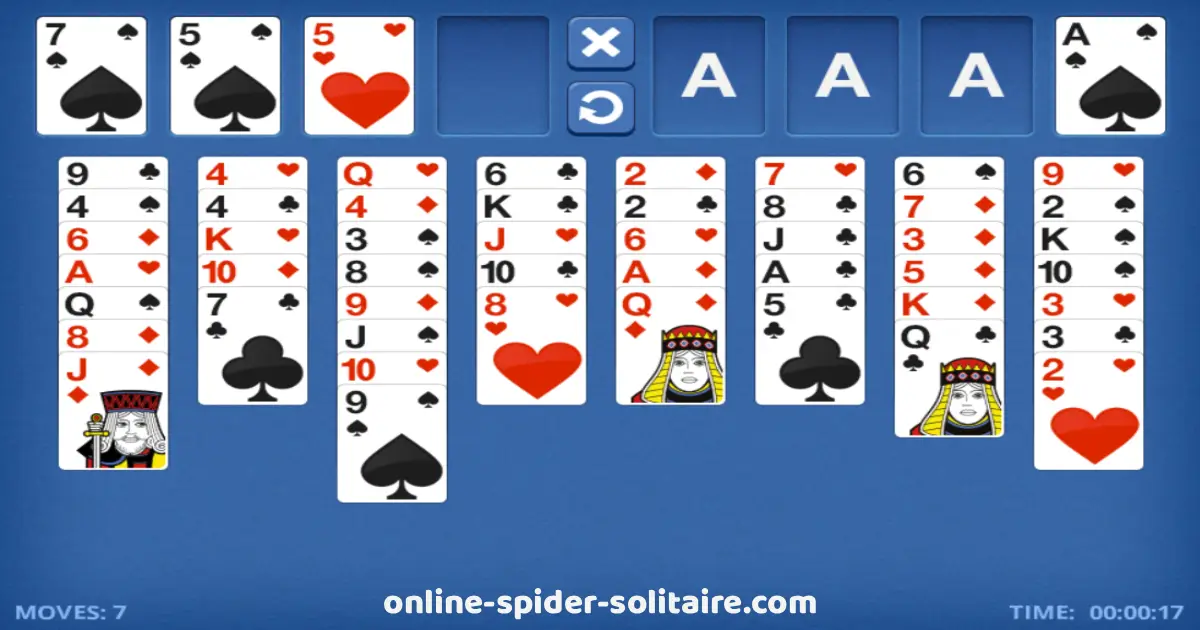
What is Freecell Blue?
Freecell Blue is a classic card game where you use your brain more than your luck. The goal is to move all 52 cards to the four foundation piles at the top, starting with Ace and ending with King. It feels like solving a puzzle, one move at a time.
The game is played with eight columns of cards on the table. You can move cards between columns by placing them in order from high to low, and by switching colors (red, black, red, black). This simple rule helps you build neat stacks and unlock new moves.
Freecell Blue also gives you four “free cells” that act like small holding spots. You can place a card there when you need space or when you want to save it for later. With smart planning, the free cells can help you fix mistakes and finish the game faster.
Platform
Freecell Blue is played directly in your web browser, so you don’t need to download anything. It works smoothly on most popular browsers, including Google Chrome, Mozilla Firefox, Microsoft Edge, and Safari. You can play on a computer, tablet, or phone as long as you have an internet connection and a modern browser.
How to Play Freecell Blue?
In Freecell Blue, your main goal is to move all the cards to the four foundation piles at the top. Each foundation starts with an Ace, then you place cards in the same suit in order: 2, 3, 4, and so on until King.
The cards on the table are placed in eight columns. You can move one card at a time from one column to another. To do this, place a card on top of a card that is one number higher and a different color. For example, you can put a red 7 on a black 8, or a black 5 on a red 6.
You also have four free cells. These are special spaces where you can park a single card for a short time. Use them when you need to clear a column, save an important card, or make room for a better move.
If a column becomes empty, you can move any card (or a planned stack, step by step) into that empty space. Empty columns are very helpful because they give you more freedom to organize the cards and reach the ones you need.
Freecell Blue Controls
Freecell Blue is easy to control, so you can focus on thinking and planning your moves. On a computer, you can click and drag a card to move it to another column, a free cell, or a foundation pile. You can also click a card once to select it, then click the place where you want to put it.
Many versions of the game also support a helpful double-click. If a card can safely go to a foundation pile (like an Ace, or the next card in the same suit), double-clicking may move it there automatically.
On phones and tablets, you usually play with touch controls. Tap a card to pick it up, then tap the spot where you want to place it, or drag it with your finger if the game allows it. Some games also include buttons like Undo, Hint, New Game, or Restart to make playing even simpler.
Tips and Tricks for Freecell Blue
- Keep free cells empty when you can: An empty free cell is like an extra hand. The more empty free cells you have, the easier it is to fix tricky moves.
- Do not fill all four free cells too early: If they are all full, you may get stuck and lose important moves.
- Use empty columns wisely: An empty column is very powerful. Save it for big reorganizing moves, not for a random card.
- Move Aces to the foundations quickly: When you see an Ace, try to place it on a foundation. It opens space and starts building the suit.
- Build long stacks with alternating colors: Try to create neat columns like red-black-red. This helps you move cards and uncover hidden ones faster.
- Reveal buried cards first: Focus on moves that uncover the bottom cards in columns. Hidden cards are often the key to winning.
- Do not rush cards to the foundations: Sometimes you need a low card on the table to build a column. Move it up only when it will not block you.
- Plan two or three moves ahead: Before moving a card, ask: “Will this help me open a column or free a free cell?”
- Use free cells to protect important cards: If you need a specific card soon (like a black 8 or red 7), placing it in a free cell can keep it safe.
- Undo small mistakes: If your game has an Undo button, use it to learn. Try a move, and undo if it makes the board worse.
Freecell Blue Online
Freecell Blue Online lets you play right away in your web browser, so there is no need to download or install anything. Just open the game, start a new round, and enjoy the classic Freecell challenge with simple controls and a clean blue table.
On our website, Freecell Blue is completely free to play. You can enjoy as many games as you want, anytime you like, whether you are practicing your strategy or just having fun during a short break.
Freecell Blue Free
Freecell Blue Free means you can enjoy the full game online without paying anything. You can start playing in your browser right away and focus on solving the card puzzle with calm, simple gameplay.
On our website, Freecell Blue is free to play and there are no hidden costs. You do not need to pay for coins, boosters, or any in-game items to keep playing. Just play, practice your strategy, and have fun whenever you want.
Similar Games to Freecell Blue
If you’re a fan of Card Games, you’ll definitely enjoy these too:
Freecell Blue Frequently Asked Questions
Is Freecell Blue free to play?
Yes. You can play Freecell Blue for free on our website, and you do not need to pay to enjoy the game.
Do I need to download Freecell Blue?
No. Freecell Blue runs online in your web browser, so you can start playing without downloading or installing anything.
What is the goal in Freecell Blue?
Your goal is to move all 52 cards to the four foundation piles, building each suit from Ace to King.
What are the “free cells” used for?
Free cells are small holding spots where you can place one card to make space and plan your next move.
How do I move cards on the table?
You can move one card at a time. Build columns by placing a card on a card that is one number higher and a different color.
Can I move a stack of cards at once?
Sometimes, yes. You can move a group only if you have enough empty free cells or an empty column to help you move them safely.
Are most Freecell Blue games winnable?
Most FreeCell deals can be solved if you plan your moves carefully, because all cards are visible from the start.
Can I play Freecell Blue on my phone or tablet?
Yes. If your browser is modern, you can usually play on mobile or tablet with simple tap or drag controls.